
WonderMCA · User documentation
What the WonderMCA is, which IBM PS/2 computers it has been run on, what it emulates (hard disks, floppy disks, a CD-ROM, extended memory, sound, network, USB), what is not available yet, and a map of the other pages.
This is the entry page of the WonderMCA documentation. It describes all the features of the core firmware and the screenPad (external panel to control the WonderMCA), as well as the User Guide and how to get the best out of your PS/2. Before you start, check that your card runs the latest firmware (see Firmware and CPLD update). The other pages are listed in the map at the end.
All the pages
Page 2
The WonderMCA card and its connectors, the DIP switches, the rules to follow before you fit it, how to install it in a PS/2, how to configure it with the Reference Diskette, how to check that the PS/2 sees it, the screenpad and its LEDs, and what you see at the first power-up.
Page 3
What the microSD card must be, the folders and files the card looks for, the rules for image names, how the lists of the setup menu and of the screenpad show the card and a USB stick, the files the card writes itself, and the messages when the card cannot be read.
Page 4
How to check the versions of the firmware, the option ROM and the CPLD, how to update the firmware through USB-C, and how to update the CPLD from the microSD card with the four JTAG switches, with every screen of the update.
Page 5
How to use the WonderMCA every day: what the PS/2 shows at power-on, the boot prompts, the setup menu page by page with its exact entries and screens, how to choose and swap images, create a new hard disk image, control the card from DOS with wmctrl, and save your settings.
Page 6
Every screen of the screenpad with its picture and its entries: the controls, the start-up screens, the main menu, the floppy and CD pickers (sorted by name), sound and the volume page, network, time, POST codes, and the Others pages.
Page 7
Every key of config.txt with its values and defaults, the rules of the file, the settings of the setup menu and of the screenpad, the settings of the Reference Diskette, the interrupts to give each device, and which setting wins when two disagree.
Page 8
The disk images the card serves: floppy sizes (160 KB to 2.88 MB and the 1840 KB OS/2 diskettes), hard disk images and fixed VHD files, how to create a new image, the USB stick as a volume, swapping a diskette while the PC runs under DOS and OS/2, the boot order, and the limits.
Page 9
How the card emulates a CD-ROM drive (Panasonic MKE interface at I/O port 250h) from ISO and CUE images, how to load the DOS driver and MSCDEX, how to change a disc, what audio CD support gives, how to boot from a CD image, and how OS/2 uses the drive.
Page 10
How the card adds 4 MB of extended memory (XMS), the two settings that must agree (DIP switches SW_CFG3 and SW_CFG4, and the XMS line of config.txt), step by step set-up for each system board memory size, what the banner and the setup menu show, how to check it, its speed and its limits.
Page 11
The sound the card makes (Sound Blaster, AdLib, Gravis UltraSound), its settings on the Reference Diskette and the DIP switch, what the Audio page shows, the audio output and the volume, the game port with a USB game pad, and what is not available.
Page 12
How the card gives the PS/2 an NE2000 network card through WiFi, a wired Ethernet module or a USB Ethernet adapter: choosing the type, the WiFi file, the port and interrupt, what the Network page shows for each type, the OS/2 driver, the status and the limits.
Page 13
What you can plug into the USB-A port of the card: a keyboard, a mouse (seen by the PS/2 as a serial mouse on COM2), a game pad, a USB stick and a USB Ethernet adapter, how to switch each one on, what the banner shows, and what to do under DOS, Windows and OS/2.
Page 14
What to do with the card under DOS, Windows 3.x and OS/2 Warp 3: the two OS/2 install procedures (from diskette images, and from the Warp 3 Connect CD through the card’s CD-ROM) with the card’s floppy and keyboard drivers, the settings for the mouse, the display and the network, and a plain statement of what is verified on real hardware and what in an emulator.
Page 15
What has been reported to work or to fail on each PS/2 computer, with each operating system and with the games and programs that were tried. Only reported results are listed.
Page 16
Troubleshooting, FAQ and codes
Something does not work? Start with the quick checks, find your symptom (no boot, error 165, memory errors, no sound, no mouse, no network, an OS/2 install that does not come back), read the messages of the card with their pictures and the POST codes with their meaning, and learn how to collect the console log and send it.
Page 17
What is new and fixed on the WonderMCA, newest first, from the October 2026 work (OS/2 Warp 3 Connect from the card’s CD-ROM, the OS/2 mouse and network, sorted image lists, CPLD update from the microSD card) back to the first working card in June 2026.
What the WonderMCA is
The WonderMCA is an adapter card for IBM PS/2 computers with the Micro Channel bus (MCA). One card in one slot gives the computer:
- Hard disks, floppy disks and a CD-ROM drive, all read from image files on a microSD card or USB;
- 4 MB of extended memory (XMS);
- Sound: Sound Blaster, AdLib or Gravis UltraSound, on a 3.5 mm jack and on the Micro Channel audio line;
- Game port, fed by a USB game pad;
- Network card (NE2000 type) through WiFi, a wired Ethernet module or a USB Ethernet adapter;
- USB keyboard, a mouse (as a serial mouse on COM2) and a USB stick;
- Real time Clock with onboard RTC and coin battery;
- a small setup menu in the card’s option ROM, and an optional screenpad (a display with a knob, four buttons and four LEDs) to control the card while the computer runs.
The card is built around an RP2350 microcontroller and an ATF1508 logic chip (CPLD). It also carries 8 MB of PSRAM, a microSD socket and a USB-A host port. The card is “software defined”: most of what it does comes from its firmware, which you can update.
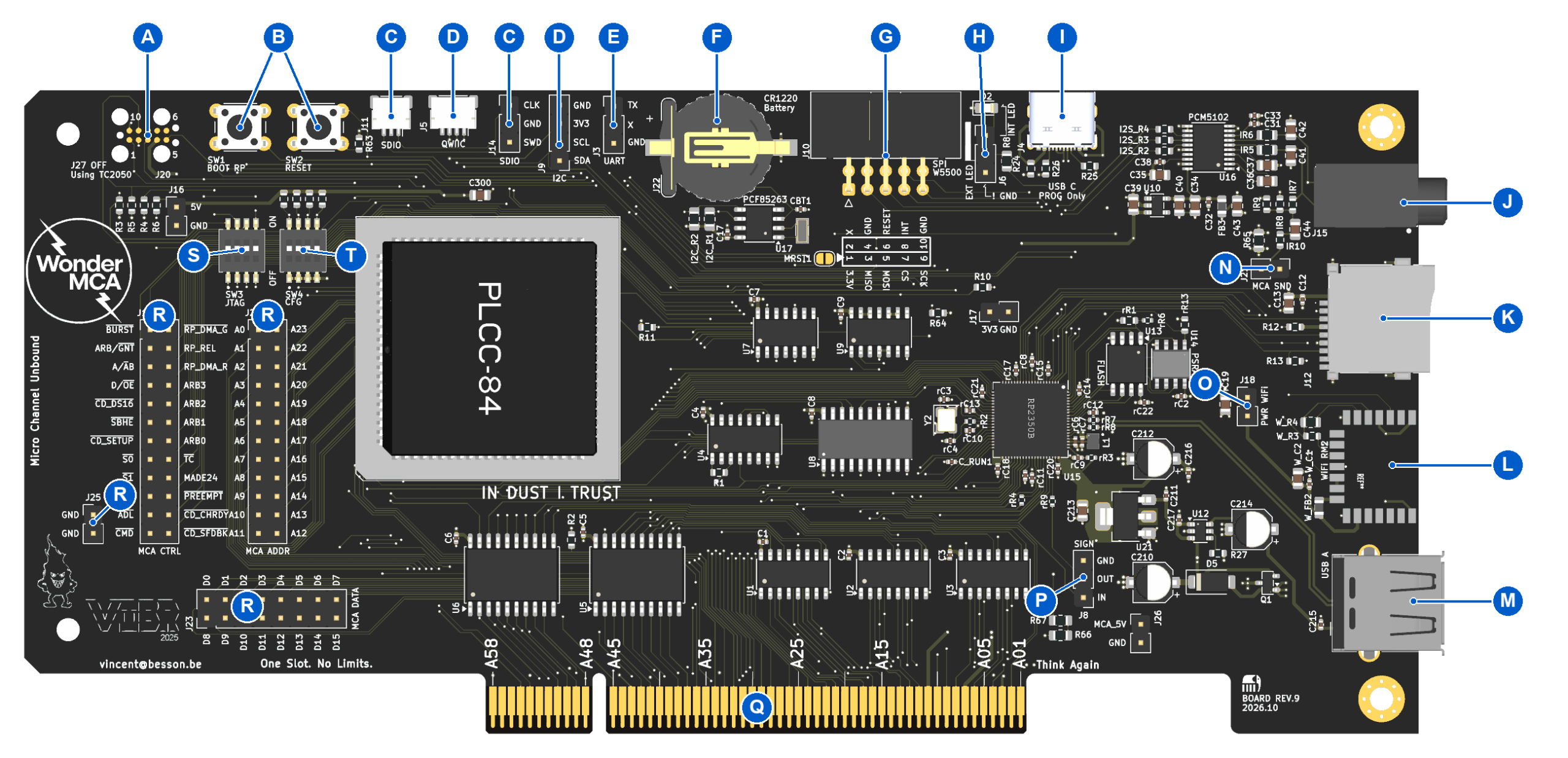
The Card best work with a front panel named the screenPad to control the floppy, CDROM emulation and also many features
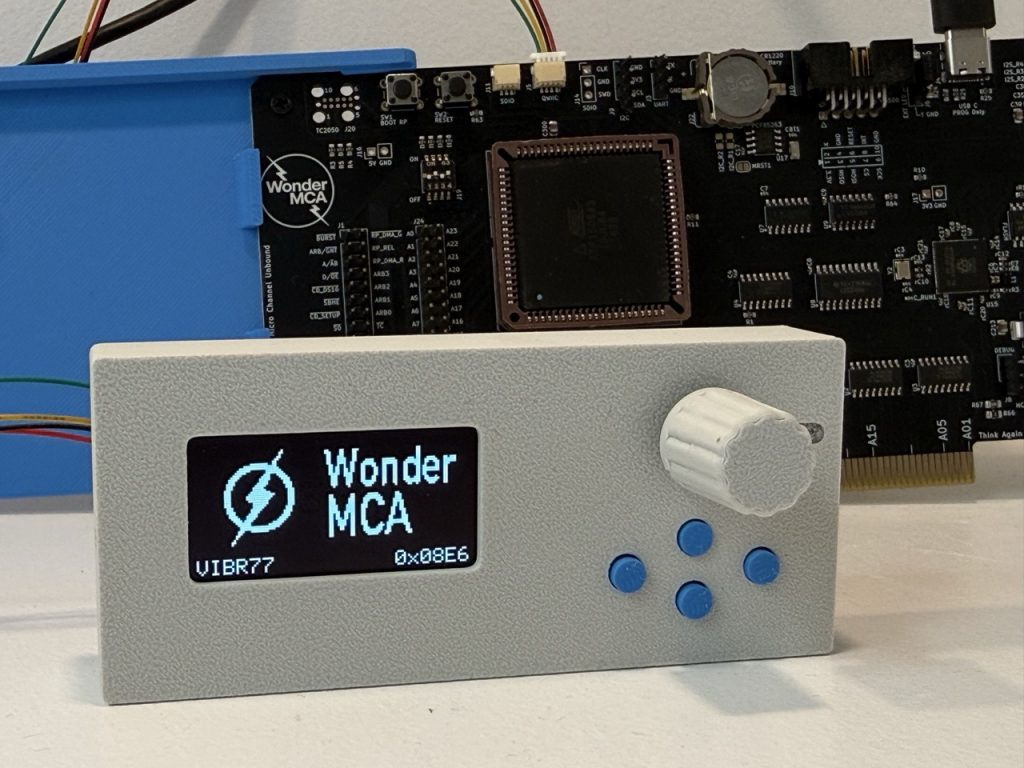
What you see
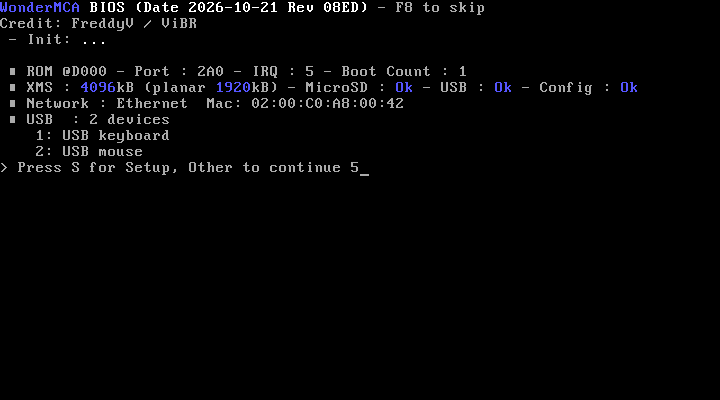
When the PS/2 starts, the card prints its banner and waits five seconds for the S key, which opens the setup menu. Everything below is explained on the usage guide.
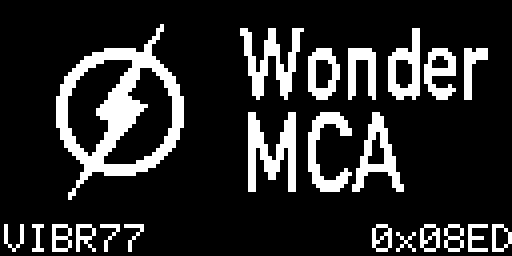
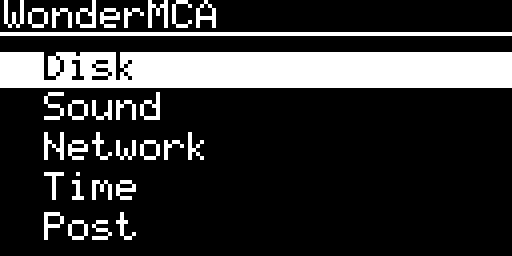
With a screenpad, the display shows the logo of the card with the option ROM revision, then the POST codes of the PS/2 while it boots, then a menu. The menu swaps floppy and CD images while DOS runs, sets the volume and the clock, and shows what the card is doing. It is described on the screenpad reference.
Computers
The card fits any 16-bit or 32-bit Micro Channel slot. It has been run and timing adjusted on these computers:
| Computer | Notes |
|---|---|
| 8550Z (Model 50Z) | 286 at 10 MHz, 1 MB on the system board |
| 8555 | 286 |
| 8556 | |
| 8557 | |
| 8570 (Model 70) | 386DX, 2 MB and 4 MB on the system board |
| 8580 (Model 80) | |
| P70 (plasma portable) | POST codes appear on the parallel port: see the POST key on the configuration page |
| 9556 | 486SLC2, 4 MB on the system board |
| 9576 (including Overdrive) | Used for the OS/2 work: OS/2 Warp 3 Connect is installed on it from the card’s CD-ROM |
| 9595 (Server 95) | 486DX2. See Troubleshooting for the arbitration error |
The compatibility page says what has been reported to work on which computer. The 286 computers (8550Z, 8555) run DOS and Windows 3.x. OS/2 2.x and later need a 386.
What it emulates
| Function | What the PS/2 sees | Page |
|---|---|---|
| Hard disks | Up to four hard disks (drives 0 to 3), from .img or fixed .vhd files | Hard disks and floppy disks |
| Floppy disks | Drives A: and B:, from .img files of 160 KB to 2.88 MB, and the 1840 KB OS/2 install diskettes | Hard disks and floppy disks |
| CD-ROM | A Panasonic (MKE) CD-ROM interface at I/O port 250h, from .iso and .cue files | CD-ROM |
| Extended memory | 4 MB above the system board memory | Memory |
| Sound | Sound Blaster, AdLib (OPL2 at 388h), Gravis UltraSound, more to come | Sound and game port |
| Game port | PC game port at 200h to 207h | Sound and game port |
| Network | NE2000 at 300h | Network |
| USB | Keyboard, mouse, game pad, USB stick, USB Ethernet (On OS/2 a dedicated driver is needed) | USB devices |
| Clock | A battery-backed clock on the card | Screenpad reference |
Map of the documentation
| Page | What it holds |
|---|---|
| Hardware and installation | The card, its connectors, the DIP switches, installing it, the Reference Diskette |
| microSD card preparation | Format, folders, images, config.txt |
| Firmware and CPLD update | USB-C update, CPLD update from the card |
| Usage guide | Boot sequence, the setup menu page by page, everyday tasks |
| Screenpad reference | Every screen of the screenpad |
| Configuration reference | config.txt keys and setup menu settings |
| Hard disks and floppy disks | Image formats, new images, swapping |
| CD-ROM | The CD-ROM interface, drivers, audio, boot |
| Memory | Extended memory and its switches |
| Sound and game port | Sound Blaster, AdLib, GUS, game port |
| Network | WiFi, Ethernet, USB Ethernet |
| USB devices | Keyboard, mouse, game pad, USB stick |
| Operating systems | DOS, Windows 3.x, OS/2 Warp 3 and Warp 3 Connect |
| Compatibility | What is reported to work or fail |
| Troubleshooting, FAQ and codes | Problems, messages, POST codes |
| Release notes | What changed, newest first |
| Developer notes | Build tools and layout |
Next →
WonderMCA user documentation · Documentation home