
SmartDisk II · User documentation · Bootloader v0.25
What the bootloader of your SmartDisk II does, and the two ways it installs a new firmware: from your computer over USB, or by itself from a folder on the SD card. How the bootloader updates itself from the SD card, how to install it with an ST-Link, and which file is for what.
← SmartDisk II documentation home · Page 17 of 17
Two programs share the flash of your board: the bootloader, at the start, and the firmware, the SmartDisk II itself, above it. The bootloader runs first at every reset. Its only job is to start the firmware, or to put a new one in place. The current version is v0.25; it is on the SmartDisk Firmware page.
What the bootloader does
- It starts the firmware. After a reset it waits half a second, then jumps to the firmware.
- It installs a firmware from your computer. Press reset twice and the board becomes a USB drive,
DISKIIBOOT. Copy a.UF2file onto it and the bootloader writes it into the flash. - It installs a firmware from the SD card (v0.22 and later). A
.UF2file in theUPGRADEfolder of the card is installed at the next start, with no computer. - It updates itself from the SD card (v0.23 and later), with a
bootloader_v0.xx.binfile in the same folder. - It protects itself. It write-protects the start of the flash and refuses every UF2 block that is not for the firmware area: a firmware file can never overwrite it.
The bootloader is based on TinyUF2 by Adafruit, with a board definition for the SmartDisk II: the OLED screen, the SD card and the buzzer. The standard board and the XL board use the same bootloader.
Versions
| Version | What it does | What to do |
|---|---|---|
| v0.25 | USB update, firmware and bootloader update from the SD card, supply check before it rewrites itself, the reason of a refusal on the OLED | the current version |
| v0.23, v0.24 | development builds of the SD card update | update to v0.25 from the SD card |
| v0.22 | USB update and firmware update from the SD card | install v0.25 with an ST-Link |
| v0.21 | USB update only. Works with the latest firmware | install v0.25 with an ST-Link to get the SD card update |
| v0.15 | causes problems with the SmartPort of the IIgs | do not use: install v0.25 with an ST-Link |
The version shows on the OLED in DFU mode (press reset twice), and after a bootloader update from the SD card. Every bootloader from v0.21 runs the latest firmware: the firmware does not need v0.25, the SD card update does.
What happens at each start
- If an SD card is in the socket and its
/UPGRADEfolder holds an update, the bootloader installs it: first abootloader_v0.xx.bin, then a.UF2firmware. A card without that folder is left alone. - It write-protects its own flash sectors if they are not protected yet.
- If there is no valid firmware in the flash, it enters DFU mode and waits for a UF2 file over USB.
- Otherwise it waits half a second. A second reset during that half second enters DFU mode. Without a second reset, it starts the firmware.
This is why the firmware starts half a second after a reset, and a little later still when a card is in: the bootloader reads the card first. The configuration of the SmartDisk II, sdiskConfig.json, is on the card and none of these steps touches it.
Four ways to update
| What | How | You need | Bootloader |
|---|---|---|---|
| Firmware | over USB: drag a .UF2 file onto DISKIIBOOT | a computer and a USB cable | any (v0.21 or later) |
| Firmware | from the SD card: a .UF2 file in /UPGRADE | the SD card only | v0.22 or later |
| Bootloader | from the SD card: bootloader_v0.25.bin in /UPGRADE | the SD card and USB power | v0.23 or later |
| Bootloader | with an ST-Link on J6 | an ST-Link programmer | any, or none |
Firmware over USB
- Take the board out of the computer and remove the jumpers on
J1andJ7: USB must be the only power source. - Connect the USB connector of the BlackPill module to your computer.
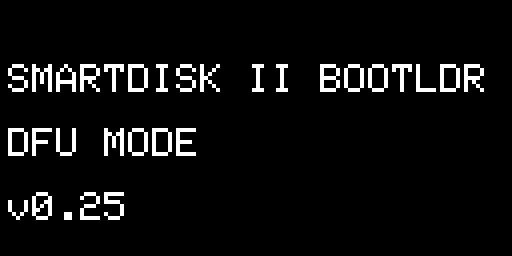
- Press the NRST button twice within half a second. The drive DISKIIBOOT appears and the OLED shows SMARTDISK II BOOTLDR · DFU MODE and the bootloader version.
- Copy the
.UF2file for your board onto the drive. The bootloader writes each block as it arrives, waits until the computer has finished writing, and restarts the board on the new firmware.
The bootloader accepts only UF2 files made for the STM32F4 and only blocks for the firmware area: a .bin file, or any other file, copied to the drive is ignored. The full procedure, with the checks before and after, is on the Firmware update page.
Firmware from the SD card
With bootloader v0.22 or later, the SmartDisk II installs a new firmware by itself, from the SD card you already use. No computer is connected to the board: you can do it with the board in the Apple II or the Macintosh.
- On your computer, make a folder named
UPGRADEat the root of the SD card (FAT32, as always, see The SD card). - Unzip the firmware download and copy one
.UF2file for your board into it, for example/UPGRADE/smartdisk_std_btl_v0.83.16.UF2. Take thebtlfile: it is the one for the bootloader. - Put the card in the SmartDisk II and switch on or reset.
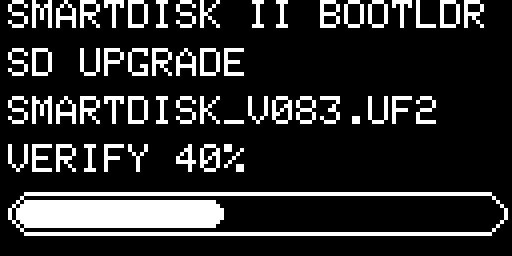
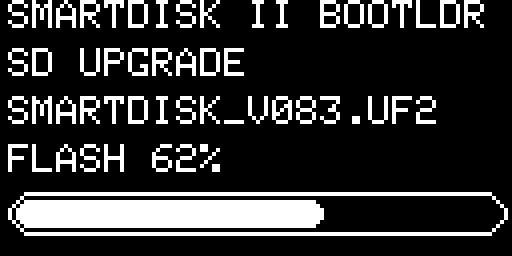
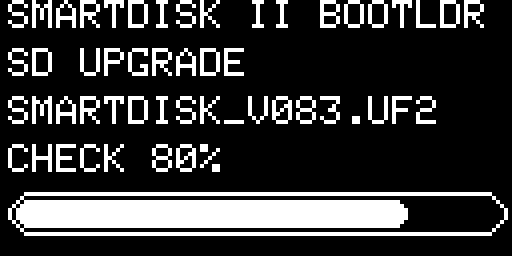
- Watch the OLED: the file name, then VERIFY, FLASH and CHECK with a progress bar, then the result for 1.5 seconds. The new firmware starts right after.
- If the Apple II tried to boot during the update, reset it once the splash screen of the SmartDisk II has appeared.
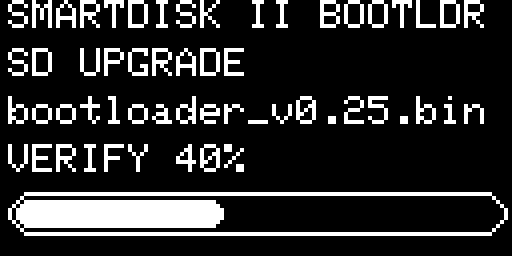
Every screen of the update starts with the same lines: SMARTDISK II BOOTLDR (the bootloader), SD UPGRADE (the update comes from the card) and the first 20 characters of the file name. Each of the three steps runs from 0 to 100 % with a bar.
What it checks
- Verify. It reads the whole file and checks every block: a UF2 block for the STM32F4, addressed inside the firmware area, and a first block that looks like the start of a firmware. Nothing is erased at this stage. It also compares the file with the firmware already in the flash.
- Flash. If the file is good and differs from the installed firmware, it writes it, reads every block back, and writes the first block last, so a firmware that was only half written never counts as valid.
- Check. It reads the file again and compares all of it with the flash.
The result
The bootloader renames the file, so that it is not installed again at the next start:
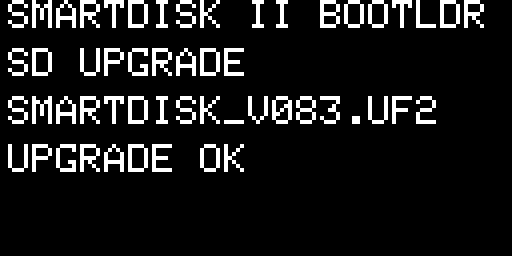
NAME.UF2.done and the firmware starts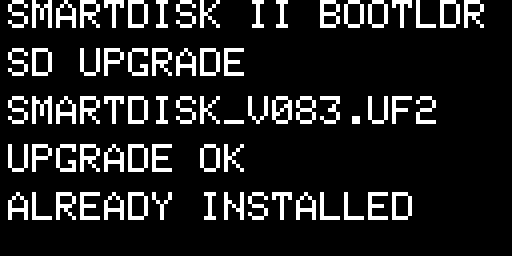
NAME.UF2.done| Screen | What it means | What to do |
|---|---|---|
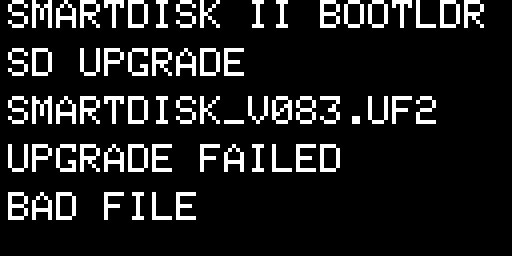 | BAD FILE: the file is not a valid firmware for the SmartDisk II: damaged, cut, or not made for it. Nothing was written, your firmware is as it was. The file becomes NAME.UF2.err | Copy the right .UF2 file again (btl, for your board) |
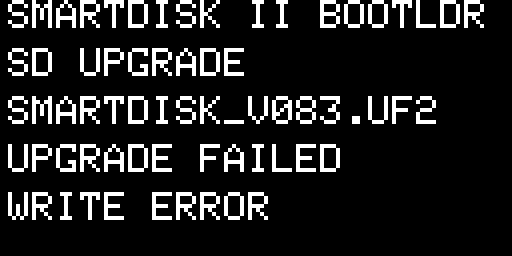 | WRITE ERROR: the flash did not take the new firmware, or what was written is not the file. The file becomes NAME.UF2.err. The new firmware may be incomplete: if the board cannot start it, it stays in DFU mode | Update again, from the card with a new copy of the file, or over USB |
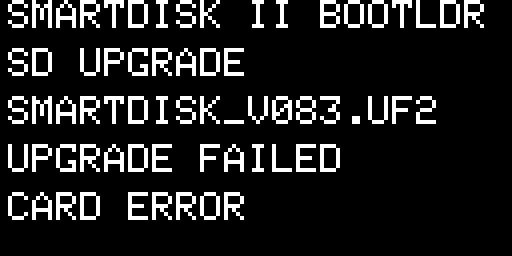 | CARD ERROR: the card failed while the file was read. Nothing was written and the file keeps its name | Switch off and on. If it comes back, try another card |
The buzzer follows the update: a short blip at every 10 % of each phase, a rising “ta-da” when the firmware is installed, one soft beep when it was already installed, two low beeps and a falling tone when it failed. Without an OLED the update runs the same.
Good to know. Keep one .UF2 file in /UPGRADE: only the first one is installed at each start. Files whose name starts with a dot are skipped, so the ._NAME.UF2 files that macOS adds to a card do no harm. A .done or .err file can stay on the card or be deleted. If the power fails during the write, the file keeps its name and the next start installs it again; with no card, the board stays in DFU mode for a USB update.
Bootloader from the SD card
A board with bootloader v0.23 or later can replace its bootloader with the file bootloader_v0.25.bin. This file is not a plain image: it carries a check code (a CRC-32) and a mark that only a SmartDisk II bootloader has. A board with v0.22 or older needs an ST-Link once (below).
- Unzip the download and copy
bootloader_v0.25.bininto/UPGRADEon the SD card. Keep its name: the bootloader takes a file whose name starts withbootloaderand ends with.bin. Do not copy the_stlink.binfile: it is refused. - Take the board out of the Apple II or the Macintosh and remove the jumpers on
J1andJ7. - Put the card in and power the board from USB, a computer or a USB charger.
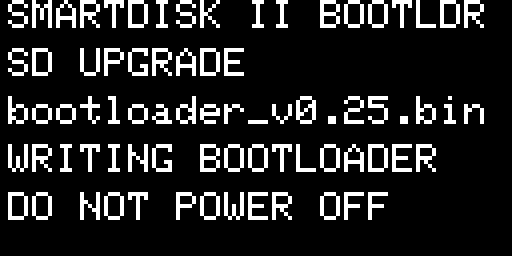
- The OLED shows VERIFY with a progress bar, then WRITING BOOTLOADER · DO NOT POWER OFF for about a second.
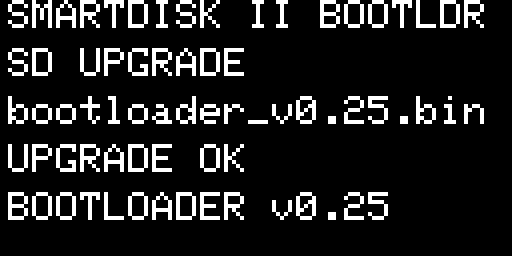
- The board restarts on the new bootloader, which shows UPGRADE OK · BOOTLOADER v0.25 and plays the “ta-da”. The file becomes
bootloader_v0.25.bin.done. - If a
.UF2file is in/UPGRADEtoo, the new bootloader installs it next. Then the firmware starts.
Do not power off and do not take the card out while WRITING BOOTLOADER is shown. The flash of the STM32F411 has a single bank: during that second the board has no complete bootloader. If the power fails then, the board does not start any more and the bootloader must be installed again with an ST-Link or over USB in ST’s own mode (below). The firmware and the SD card are not touched.
Before it writes
- It reads the whole file into memory and checks the check code, the size (at most 40 KB), the start of the image and the SmartDisk II bootloader mark.
- If the file holds the bootloader that is already running, nothing is written: the file becomes
.doneand the OLED shows the version. - It measures its supply voltage and refuses to write below 2.8 V. Powered from the Apple II the 3.3 V rail can sag below that: the board then shows LOW VOLTAGE with the measured value. Connect USB and start again.
- Only then does it remove the protection of its sectors, erase them, write the new image, read it back (three tries) and restart. The firmware area is not touched.
When it refuses
| Screen | What it means | What to do |
|---|---|---|
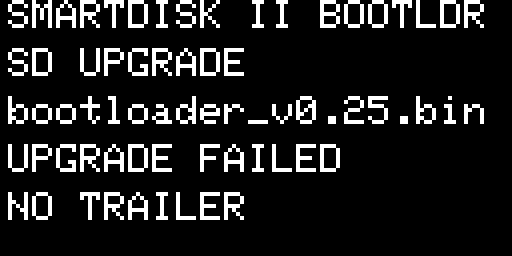 | NO TRAILER: a plain .bin without the check data. The file becomes .bin.err | Take bootloader_v0.25.bin, not the ST-Link file smartdisk_bootloader_v0.25_stlink.bin |
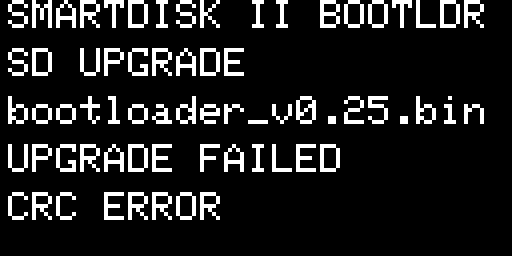 | CRC ERROR: the file is damaged or cut, the copy to the card went wrong. The file becomes .bin.err | Copy the file again |
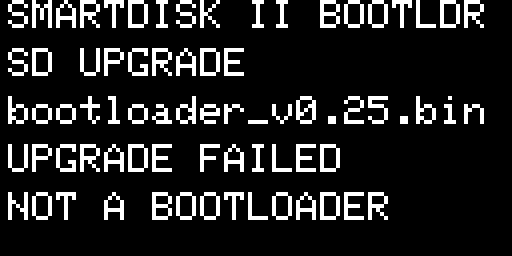 | NOT A BOOTLOADER: the file is intact, but it is not a SmartDisk II bootloader. The file becomes .bin.err | Take bootloader_v0.25.bin of the release |
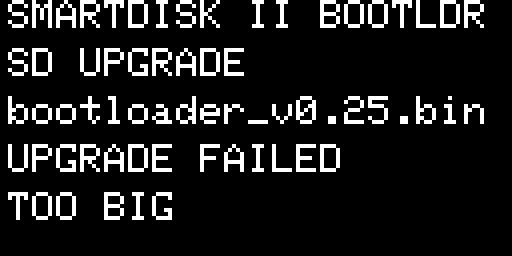 | TOO BIG: the file is larger than 40 KB: a firmware, or a bootloader built with the log. The file becomes .bin.err | Take bootloader_v0.25.bin of the release |
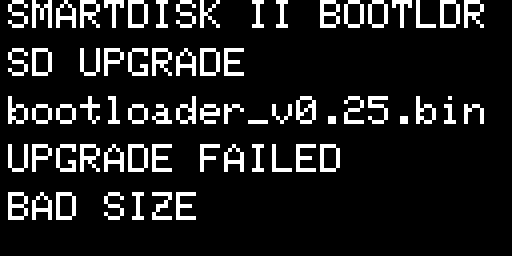 | BAD SIZE: the size of the image is not one of a bootloader. The file becomes .bin.err | Take bootloader_v0.25.bin of the release |
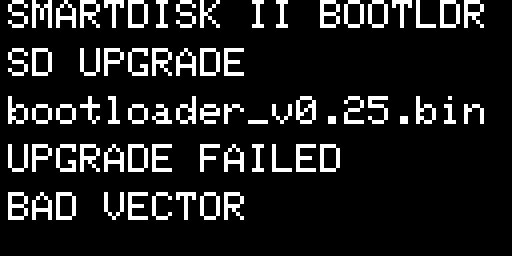 | BAD VECTOR: the start of the image is not the start of a bootloader. The file becomes .bin.err | Take bootloader_v0.25.bin of the release |
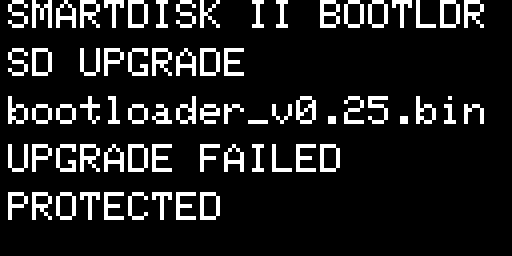 | PROTECTED: the flash refused to be erased. Nothing was changed. The file becomes .bin.err | Switch off and on, and copy the file again |
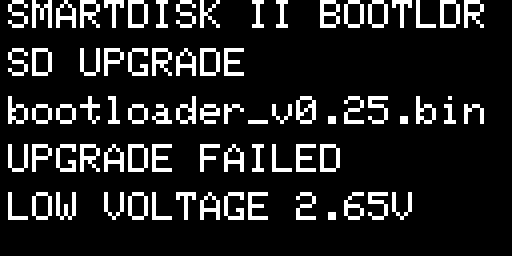 | LOW VOLTAGE: the supply is too low for a safe write; the line shows the measured voltage. Nothing was changed and the file keeps its name | Power the board from USB and switch it on again: the update starts again |
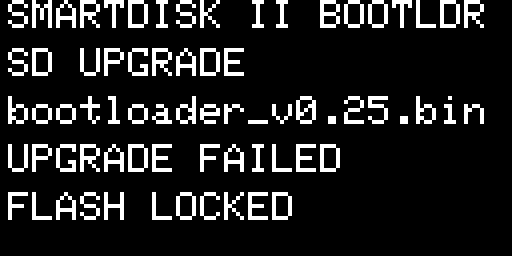 | FLASH LOCKED: the flash could not be unlocked. Nothing was changed and the file keeps its name | Switch off and on |
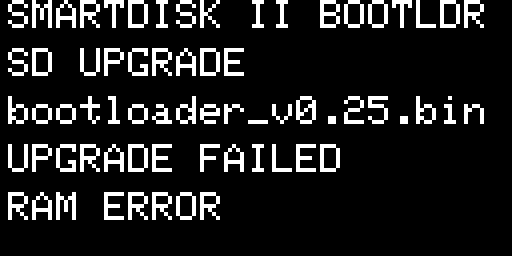 | RAM ERROR: the image was damaged in memory after it had been checked. Nothing was changed and the file keeps its name | Switch off and on |
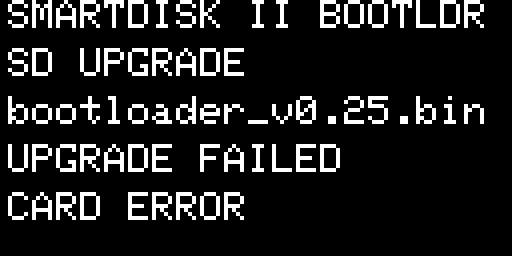 | CARD ERROR: the card failed while the file was read. Nothing was changed and the file keeps its name | Switch off and on. If it comes back, try another card |
After a refusal nothing has changed: the start goes on, with the .UF2 file if there is one, and the old bootloader stays in place.
Bootloader with an ST-Link
You need this for a board without bootloader (a board you built yourself), to go from v0.21 or older to v0.25, or to repair a board whose bootloader no longer starts. You need an ST-Link V2, four wires, the J6 header soldered on the board, and smartdisk_bootloader_v0.25_stlink.hex (or .bin). Nothing else may power the board: no USB, no Apple II, no jumpers on J1 and J7 (Hardware and installation).
Board J6 pin | Silkscreen | ST-Link |
|---|---|---|
| 1 | 3V | 3.3V |
| 2 | SDIO | SWDIO |
| 3 | SCK | SWCLK |
| 4 | GND | GND |
openocd -f interface/stlink.cfg -f target/stm32f4x.cfg \
-c "init" -c "reset init" -c "flash protect 0 0 last off" \
-c "program smartdisk_bootloader_v0.25_stlink.hex verify reset exit"
The command removes the write protection, writes the bootloader and verifies it; the bootloader protects its sectors again when it starts. With another tool (STM32CubeProgrammer, st-flash), write the _stlink.bin file at address 0x08000000. The firmware above it is kept: if one was installed, the board starts it. On an empty chip the bootloader goes straight to DFU mode, ready for the .UF2 file.
The bootloader files
| File | What it is | Use it for | MD5 |
|---|---|---|---|
| bootloader_v0.25.bin | the bootloader image followed by a 16 byte trailer: a mark, the length and a CRC-32 | the SD card: copy it to /UPGRADE | 6c809c8d1c6264498354cf70249759c9 |
| smartdisk_bootloader_v0.25_stlink.hex | the plain image, as Intel hex, with its address | an ST-Link with OpenOCD | a32fff496bfb0e5699d2eed2aeabeb3b |
| smartdisk_bootloader_v0.25_stlink.bin | the plain image, raw bytes | an ST-Link or dfu-util, at 0x08000000 | 7d014971aa34a0a8c5a351e3e3740e9d |
| smartdisk_bootloader_v0.25.elf | the same image with its debug symbols | a debugger | cabcb37f6883e68cdfc9abbfca04344d |
The ST-Link files do not start with bootloader on purpose, so that the bootloader never takes them for an update file. Each file is delivered in a small zip archive: unzip it before you use it. The MD5 is that of the file inside.
DFU mode and the DISKIIBOOT drive
“DFU mode” is the name the OLED gives to the USB mode of the bootloader. The board shows up as a USB drive, DISKIIBOOT, on a Mac, a Windows or a Linux computer, with no driver. It holds three files:
| File | Content |
|---|---|
INFO_UF2.TXT | the TinyUF2 version, the board and the build date |
INDEX.HTM | a link to the SmartDisk II firmware project |
CURRENT.UF2 | the firmware now in the flash, read back as a UF2 file |
The drive is not a real disk: the bootloader makes its content up as the computer reads it, and keeps only the UF2 blocks of what you copy. The board stays in DFU mode until a UF2 file is complete or until you press reset. The OLED is optional: without it the drive appears all the same.
Double reset with a card in. With an SD card in the socket the bootloader reads the card before its half second wait, so the second press must come a little later. If DISKIIBOOT does not appear, take the card out and press NRST twice again.
If something goes wrong
| If… | Try this |
|---|---|
The file in /UPGRADE is not installed | Check the bootloader version (v0.22 or later for a .UF2, v0.23 or later for bootloader_v0.25.bin), the folder name at the root of the card, and that the file still ends in .UF2 or .bin, not in .done. |
| UPGRADE FAILED · BAD FILE | The file is not a firmware for the bootloader: take the btl .UF2 file for your board. |
| UPGRADE FAILED · LOW VOLTAGE | Power the board from USB, out of the Apple II, and restart. |
| The board keeps installing the same file | Remove the older files from /UPGRADE: keep one .UF2 and one bootloader_v0.xx.bin. |
| The board does not start after a firmware update | Press NRST twice for DFU mode and copy the .UF2 over USB, or put it in /UPGRADE again. |
| The board shows nothing and no drive appears after a bootloader update | Install the bootloader with an ST-Link, or in ST’s own USB mode: hold the BOOT0 button of the BlackPill, press NRST, release BOOT0, then write the plain image with dfu-util -a 0 -s 0x08000000:leave -D smartdisk_bootloader_v0.25_stlink.bin. |
Related: Firmware update for the full USB procedure and going back to an older release, SmartDisk Firmware page for the downloads, Troubleshooting, FAQ and the log.
← Previous
See also →
SmartDisk II user documentation · latest firmware · Documentation home