
Your PS/2 now plays MP3 files, and its sound can go to Bluetooth headphones. The WonderMCA decodes the MP3 files of its microSD card or USB stick by itself, and it can send everything it plays (Sound Blaster, AdLib, Gravis UltraSound, CD audio and now MP3) to a Bluetooth headset or speaker instead of the jack. The Bluetooth game pads got better too: more pads, steadier links.
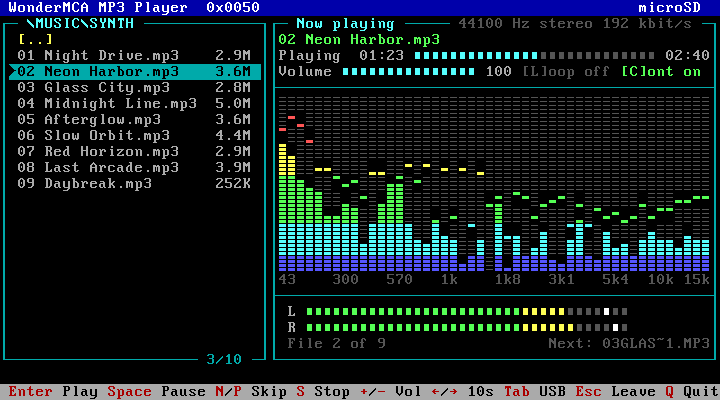
An MP3 player inside the card
The card reads and decodes the MP3 file itself. The PS/2 only gives the orders: play, pause, next. It does not read the file and it does not decode it, so its processor does not matter, and a game or a DOS program keeps running while the music plays. The music is mixed with the other sounds of the card and comes out of the jack, the Micro Channel audio line or the Bluetooth headphones.
Copy your .mp3 files into a folder of the microSD card (MUSIC, for example, next to FLOPPY and HDD) or onto a USB stick. Any bit rate, constant or variable, mono or stereo. Long names, spaces and accents are fine.
WMPLAY, the full-screen player
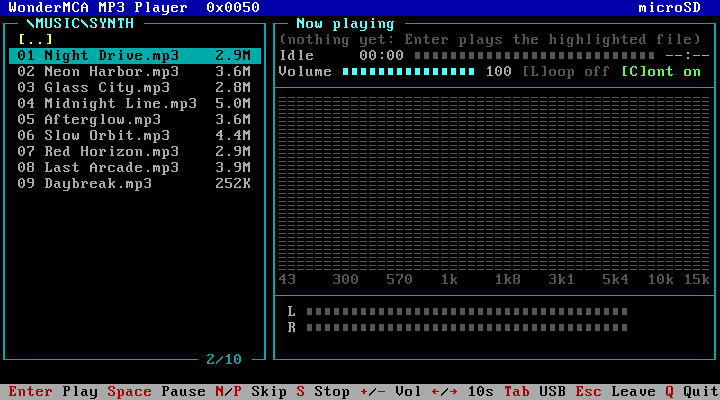
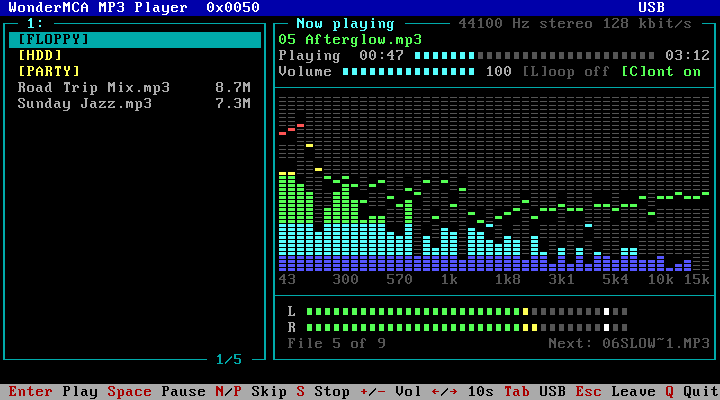
- Browse the folders of the microSD card, or of the USB stick with Tab, and press Enter to play.
- Pause, next, previous, volume, loop, and the whole folder plays in order.
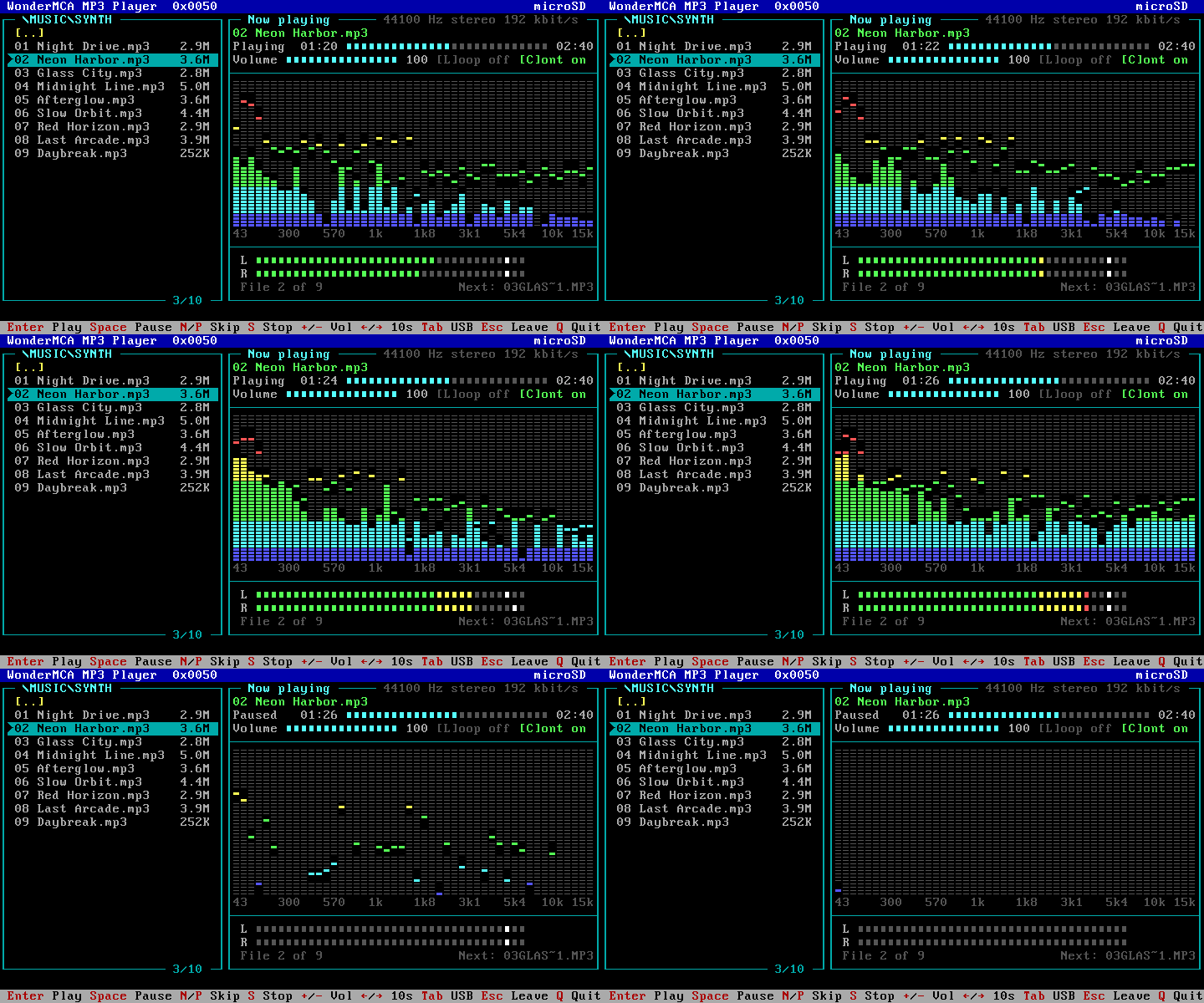
- A progress bar with the time played and the length of the song; Left and Right jump 10 seconds.
- A 48-band spectrum in the style of a hi-fi display, with peak marks that hang for two seconds, and two level meters. WMPLAY redraws a few characters of the VGA font for it and puts them back when it leaves.
- Long names scroll under the bar.
From the DOS prompt and batch files
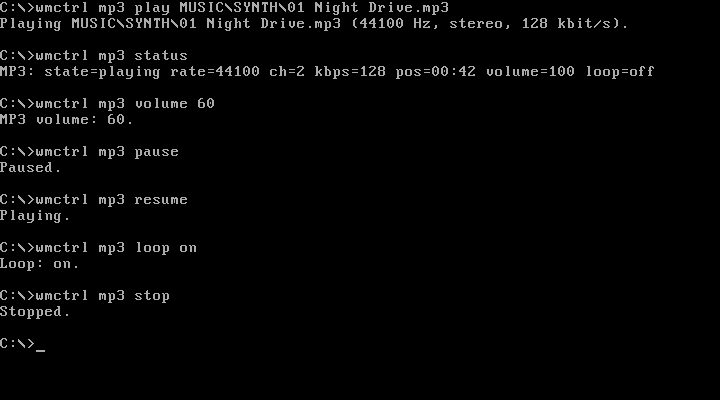
WMCTRL MP3 does the same with one command per action: play, pause, resume, stop, volume, loop, status and dir. Put WMCTRL MP3 PLAY MUSIC\INTRO.MP3 in your AUTOEXEC.BAT and the PS/2 boots with music.
On the screenpad, without the PC
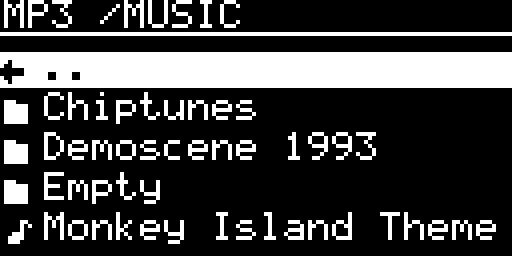
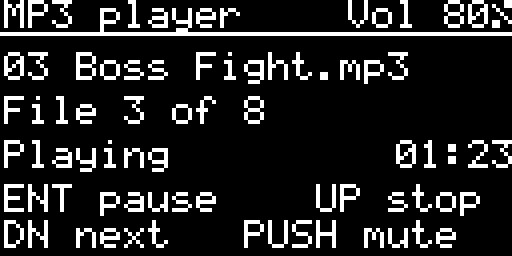
The screenpad has its own player under Audio > MP3 player: the folders of the microSD card, ENT to play or pause, UP to stop, DN for the next file, the knob for the volume and a push on it to mute. The three players drive the same engine, so a song started from one shows on the others.
The PS/2’s sound on Bluetooth headphones
A firmware with Bluetooth now streams the sound of the card to Bluetooth headphones or a Bluetooth speaker (A2DP). Everything the card plays goes there: the Sound Blaster, the AdLib, the Gravis UltraSound, the music of an audio CD and the MP3 player. DOOM in a pair of noise-cancelling headphones on a PS/2 is a strange and wonderful experience.
- Pair the headphones like any Bluetooth device, from the Bluetooth page of the setup menu or from the screenpad. They show as AUDIO.
- On the Audio page, set Output to BT (it goes Off, Jack, BT). The screenpad has the same row, and
AUDIO_OUT BTinconfig.txtsets it at every start. - The sound moves to the headphones at once, with no restart, and they say “Wonder Bluetooth” a few seconds later.
- The Audio page shows the headphones next to Output: connecting, connected, playing, not connected or out of range.
- Volume: headphones that accept the volume from the card (AVRCP absolute volume) follow the screenpad’s knob, and their own + and – keys move it. With other headphones the card sets the level of its sound itself (70 % at every start), and the headphones’ keys work on top of it.
- At power-on, and whenever Output is set to BT, the card connects to the headphones by itself, and tries again every 10 seconds if they are off or out of range. Headphones that reconnect by themselves are accepted too.
- The headphones work together with the game pads, keyboards and mice: up to four Bluetooth devices at once, the headphones among them.
Under the hood, the RP2350 copies the card’s mix, resamples it to 48 kHz and encodes it in SBC, the codec every A2DP headset knows, at about 7 % of one of its cores, next to the bus work and the sound emulation. The radio is still the one of the WiFi module: no extra chip. It was tested on a real PS/2 with a Bose QuietComfort headset, through DOOM and the MP3 player.
Game pads: Joypad OS, one week on
Since the first Bluetooth post, the pads that the card drives through the Joypad OS drivers have met more real hardware:
- The Sony DualShock 3 works over Bluetooth. It has no Bluetooth pairing of its own: plug it once into the USB-A port of the card with Bluetooth on, and the card writes its own address into the pad and adds it to the paired devices. Unplug it, press PS, and it plays (Wolf3D, with its buttons).
- Switch-style pads stay connected. The link drop of the first preview is fixed: a pad woken with Home reconnects and keeps reporting. The card also thins the flood of reports these pads send, so a game keeps its frame rate.
- Four buttons on the game port. A, B, X and Y reach the four buttons of the PC game port (DOOM uses all four; Wolf3D needs its Gravis GamePad option for 3 and 4), and they are released when the pad leaves.
- The blue LED of the screenpad now flashes briefly when a Bluetooth device sends input, instead of staying lit.
Good to know: this is a preview. Bluetooth audio needs the 16-bit firmware with Bluetooth; one pair of headphones at a time, no microphone, and the play and track keys of the headphones are not used. The sound reaches the headphones a little later than the jack: fine for music, noticeable in an action game. With some files, an MP3 played over Bluetooth can sound slightly uneven; we are working on it. WMPLAY and WMCTRL MP3 have played on a real PS/2; the screenpad’s MP3 player has not met one yet. Tell us what works with your headphones and pads.
What you need
- The preview firmware from the Preview section of the firmware page: the 16-bit firmware, in its Bluetooth version for the headphones and the pads. The CPLD does not change.
WMPLAY.EXEandWMCTRL.EXE, on the preview tools floppy imagewmtools.img.- For Bluetooth: the network type WiFi or Radio only, and Bluetooth On.
- Some MP3 files on the microSD card or a USB stick.
Get started. The new MP3 player page covers WMPLAY screen by screen, the keys, the messages and WMCTRL MP3. The headphones are on the Sound and game port and Bluetooth pages.