
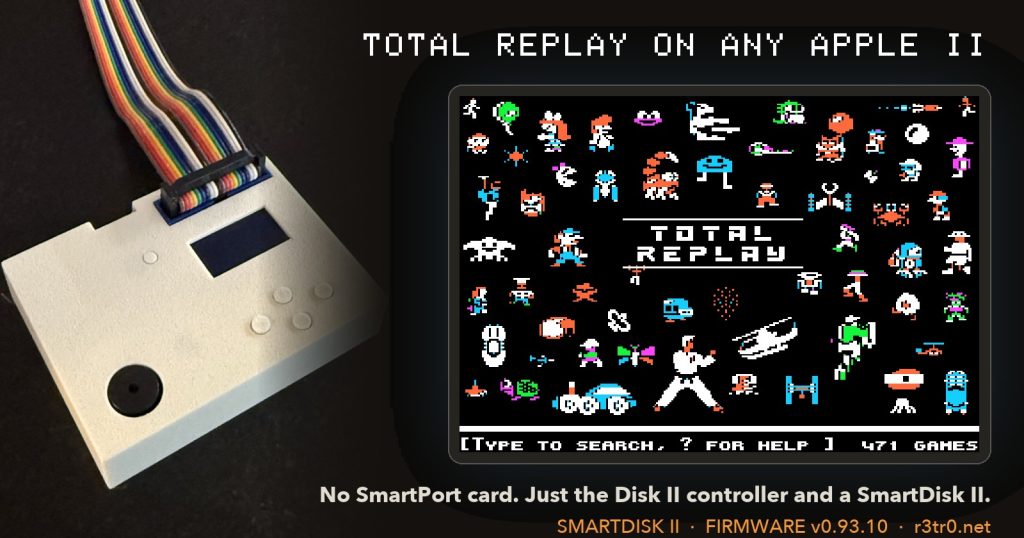
Total Replay now runs on an Apple II that has nothing but its floppy controller. With firmware v0.93.10, an Apple II+ or IIe with only a Disk II card starts Total Replay from the SmartDisk II. You don’t need a SmartPort card, a hard disk card or a memory card.
Hundreds of games, one disk you could not use
Total Replay is the collection by 4am, qkumba and friends: hundreds of Apple II games, cracked, cleaned up and launched from one menu with search and attract mode. It ships as a single 32 MB ProDOS volume, a hard disk.
That was the catch. A Disk II controller only knows 140K floppies. To run Total Replay on an Apple II+ or IIe you needed a mass storage card in a slot: a Liron, a Yellowstone, a SoftSP card, and so on. The IIc and the IIgs have SmartPort built in, so the SmartDisk II already served Total Replay to them. On a plain II+ or IIe the disk stayed out of reach.
The trick, in short
The Apple II already has a cable to the SmartDisk II: the Disk II cable. So we taught both ends to use it for something new.
- It starts as a floppy. At power on, the SmartDisk II boots the Apple II like any 5.25 inch disk, into the Smartloader, its file list.
- A tiny driver moves in. When you pick Total Replay, the loader leaves a small disk driver in the Apple II’s memory. It is less than 500 bytes, in a corner that Total Replay leaves free.
- The floppy cable carries hard disk blocks. When ProDOS asks for a block, the driver passes the request to the board over the Disk II cable. The board puts that block under the drive head, as if it had always been on the disk. ProDOS and Total Replay see a hard disk.
- The games’ own loaders come along. Many games load with their own fast disk routines. The board recognises them as it serves them and sends them down the same path.
The Apple II stays as it is: no card, no ROM, no change on the machine. Everything happens in the firmware of the SmartDisk II and in the Smartloader.
What you get
- About 5 seconds from your choice in the file list to the Total Replay title screen. The board clicks once per block if you like the sound of a drive at work (Sound effect on).
- On every Apple II. An Apple II+ with 64 KB or an Apple IIe with only a Disk II controller now runs it through the Disk II port, a 64 KB IIe with no extended memory card included. The IIc and the IIgs use SmartPort as before.
- Total Replay v6.1, v6.0.1 and Total Replay II v1.0-alpha.4. Copy the image to the SD card, select it and press Return.
Good to know. In this mode the disk is read only. Total Replay’s settings and the games’ own saves are not kept. The games that use the language card while they load do not start yet: Arkanoid, Impossible Mission, Infiltrator 2, Lemmings, Skyfox, Thexder and Zaxxon, for example. If one hangs, power the Apple II off and on.
Set it up in four steps
- Update the SmartDisk II to firmware v0.93.10 and copy the Total Replay image to the SD card.
- On the board, set Emulation type to Smartport HD and SP start to RAM or RAM AUTO, then Restart.
- Power on the Apple II. The Smartloader starts: press a key during the countdown to see the file list.
- Select the Total Replay image and press Return. The title screen comes up about 5 seconds later.
The details are in the documentation: Total Replay on a Disk II-only machine.
Total Replay is the work of 4am, qkumba and its contributors; all credit for the collection goes to them. The title screen above is Total Replay v6.1 as served by the SmartDisk II through the Disk II port, captured on our test bench.
Get started. Update your SmartDisk II, grab Total Replay, and turn the old floppy controller into a gateway to the whole library.